16
min read
16
min read
 Aug 28, 2025
AI Agents and UI Design: Creating Engaging Interfaces and 4 of the Top Trends
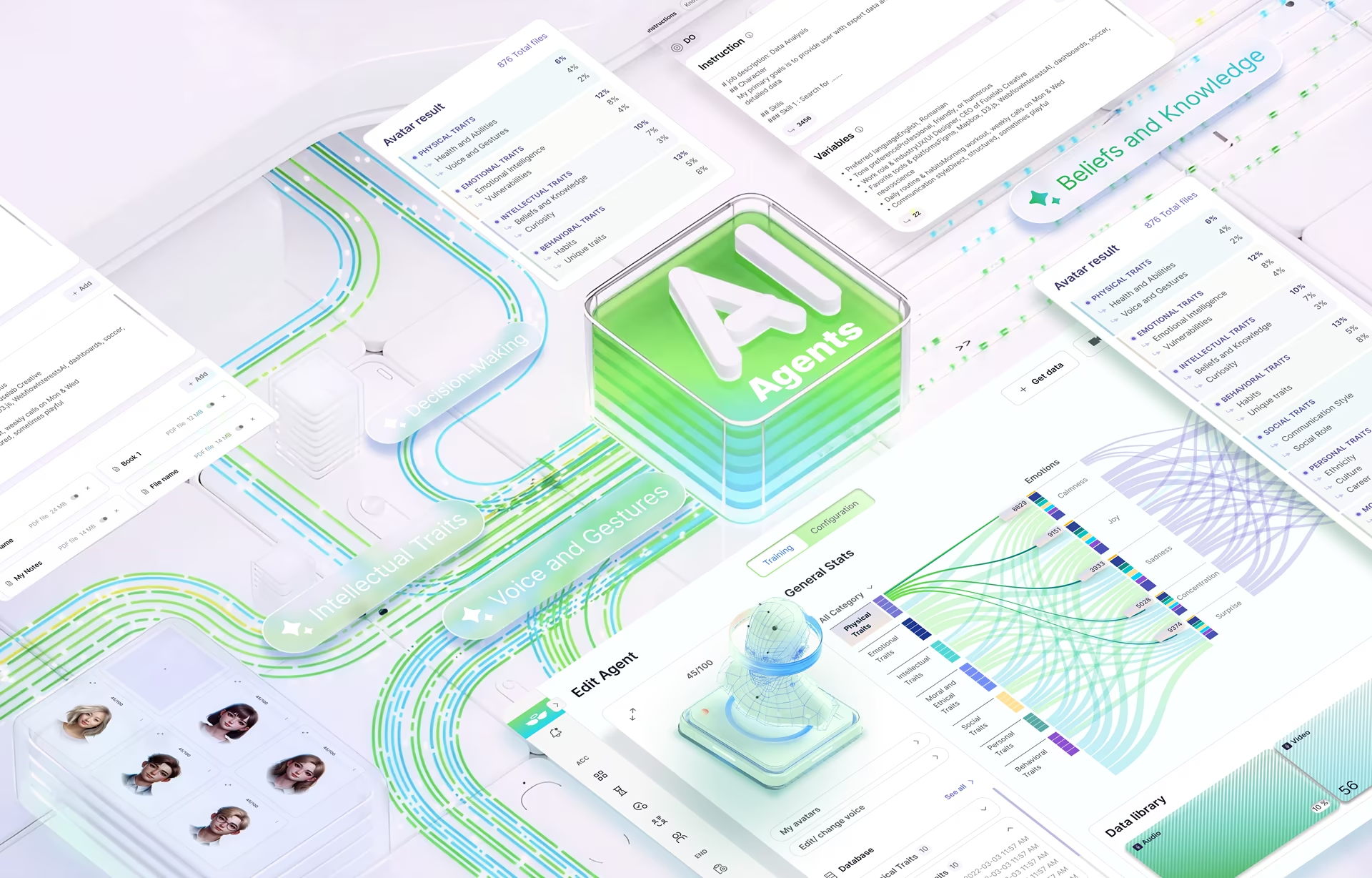
The future of work is agentic, according to business leaders, and this future is already here. Think of this: how many times have you interacted with customer service chatbots? How often have you asked a gen AI model for answers that search engine results couldn’t give you? These are all basic versions of AI agent creation, and are, as you may have observed, constantly evolving.
For decades, UI design has been associated with creating intuitive, static pathways for human interaction. The human user took center stage, clicking buttons and navigating menus for a specific outcome. That’s not the case now. With sophisticated AI agents on the rise, we can see a fundamental paradigm shift.
The interfaces we design can no longer afford to be passive or for the human user alone. They must be dynamic, adaptive environments that can interact with and be interpreted by automated agents. This is why designers must move beyond traditional layouts and embrace new principles, so the interfaces they design are not just easy to use but also intelligent, proactive, and capable of understanding user intent.
This is where the AI agent user interface design takes an interesting turn.
The Rise of the AI Agents
Before diving into what AI agent development is, we must understand what an AI agent really means. The term is often used interchangeably with ‘chatbot’ or ‘smart assistant,’ but really, it is much more than that. While a traditional chatbot is essentially a reactive script that responds to a user’s prompt based on a fixed set of rules, an AI agent is an autonomous system capable of reasoning, planning, and taking action to achieve a specific goal.
Think of it this way: a chatbot might answer a question, but an agent can perform a task. It is like the difference between asking for a weather forecast and instructing the system to book a flight for your vacation, complete with real-time flight searches, price comparisons, and transaction execution. This level of autonomy is what defines an AI agent and its design principles.
AI agents can perceive and interpret information from their environment, reason through complex problems, make dynamic decisions, and take actions on behalf of the user. The benefits are immense: unprecedented efficiency, personalization, and task automation are just a few. With function taking precedence over form for AI agents, their interface design also brims with unique possibilities.
The Imperative of AI Agent UI Design
While the backend intelligence of an AI agent is all about great engineering, its effectiveness ultimately depends on the frontend user experience. This is where UI design becomes not just important, but absolutely crucial.
A well-designed AI agent user interface design bridges the user’s intent and the agent’s actions. Without a clear, intuitive interface, even the most powerful AI can feel confusing, unpredictable, or untrustworthy. A dedicated and thoughtful design, on the other hand, ensures the user can understand what the agent is doing, why it’s doing it, and what its current status is. The right user controls built into this interface can help guide, override, or correct the agent’s actions for a sense of partnership.
However, creating an intuitive interface for an autonomous system is easier said than done.
First, designing for a system that can take initiative is a challenge. Think of it this way: conventional applications only act when prompted, while an AI agent performs actions proactively. And these actions must be conveyed to the user transparently, without overwhelming them. Second, the interface should be able to gracefully handle errors or failures while helping the user understand what went wrong and how to fix it. This makes the user feel in control, not just at the mercy of the system.
The Strategic AI Agent UX Design Process
The above challenges demand a complete overhaul of the user experience design process. When AI & UI converge, designers must have the following key considerations in mind:
Making Sense of the Underlying Web Structure
At its core, UX design for an AI agent demands an understanding of the underlying web structure. You are not designing directly for humans, but for software systems that the user has delegated control to. Thus, factors that matter more include content tagging, flows, and data consistency instead of just colors, typography, or layouts.
Agent vs User Roles
The human-AI partnership is a dynamic one, and more so in the case of AI agents that are constantly evolving. Designers must base their product on deep user research to understand what tasks users want to accomplish, how they feel about delegating control to an AI, and what capabilities and limitations the AI agent must have.
Prototyping and Simulation
Once some semblance of structure and purpose is in place, designers then move to creating interactive models that mimic the agent’s behavior. This is a critical stage for testing its proactivity, conversational flow, and error-handling strategies with real users. The goal is to refine the agent’s actions and communication before writing any significant code.
Launch and Optimization
Now that your product is ready and launched, there is always going to be room for improvement. Designers and product teams must analyze user interactions and feedback to continuously train and improve the agent’s performance and adjust its interface. This iterative feedback loop is the only way to build a product that adapts and grows with its users, ensuring long-term trust and utility.
The AI Agents Creation Lifecycle
Building an AI agent is a complex, multi-faceted process that goes beyond writing code. Think of it as a cyclical journey that starts with a deep multidisciplinary collaboration between designers, data scientists, and engineers. Such a partnership is essential in two ways: one, in establishing a unified vision where everyone understands the user’s ultimate goal, and two, in expanding the boundaries of what we understand as UX/UI design.
What does this mean for designers? One, they must rethink interfaces and balance function with visual appeal. Two, they need to imbibe technical skills that underpin AI agent development: capabilities and limitations of different large language models (LLMs), API integrations, and data requirements. The cross-cutting impact extends to developers and data scientists as well, who must develop an understanding of user needs, design principles, and seamless experiences.
Once this synergy is in place, here’s what the AI agent creation lifecycle could look like:
- Defining the agent’s ‘persona’ and ‘skills’: What the agent sounds, looks, and feels like, and what it can do.
- Collecting and labelling high-quality data to train the model: Designers work closely with developers to create the data inputs and outputs that will shape the agent’s behavior.
- Building the interface and interaction logic: Once the core model is in place, the theoretical concepts of AI agent design come to life, with visual and conversational design elements to guide the user.
- Testing, refinement, and re-training: A continuous loop feeding on real-world user data, ensuring the agent constantly learns and improves its performance.
Best Practices for AI Agents and UI Design
Now that we know ‘what’ goes into the AI agents’ UX design, it is time to shift focus to the ‘how’. The key lies in balancing intelligence and transparency, so the user does not feel helpless or out of the loop despite giving over control to the AI agent. A few core principles can help meet these objectives.
Transparency
We have established that the interface must provide a clear window into the agent’s actions and reasoning. Users should never feel like the agent is a black box. This means the interface must clearly update on agent status (e.g., “Thinking…” or “Searching the Web…”), show the data or sources it is using, and explain its decision-making process when prompted.
This builds trust and helps the user understand why the agent made a particular choice. Our Hyperfab Dashboard makes both core metrics and methodologies available to industrial users for quick assessments, for instance.
User Control
While autonomy is a welcome benefit, the user must always feel they have the final say. This will stem from easy-access controls that override, pause, or stop the agent’s actions. Think of including simple features like “Cancel” buttons for long-running tasks or ‘Edit’ the agent’s output before it is finalized. Less control will always erode more user confidence in AI agent development methodologies.
Proactive Feedback
Feedback should come proactively and naturally, not just in response to an error. The AI agent interface must be designed to reflect status updates, task completion confirmation, and subtle nudges or suggestions based on context. Let’s say an agent schedules a meeting for the user. A simple confirmation message and a link to the calendar invite will give much-needed reassurance that the task was successful.
Robust Error Handling
It is very likely that the AI agent will fail or misunderstand a request every now and then. The interface must make this experience as graceful as possible. Instead of displaying a generic “error” message, a well-designed interface will clearly explain what went wrong, suggest what can be done next, or quickly find a more efficient delivery path. The result? Reduced frustration, more trust, and collaborative relationships.
Design Patterns for AI Agents
A user interface is only as good as the logic it represents. When thinking about how to design AI agents, one thing to remember is that it is starkly different from traditional UI design. It demands new interaction models tailored to the agent’s unique capabilities. Design patterns for AI agents are, therefore, structured solutions to common interaction problems. At the core, they guide how the agent communicates, behaves, and collaborates with the user.
Let’s see how.
Conversational Interfaces
One of the most common design patterns for AI agents is the conversational interface. It uses natural language as the primary mode of interaction, going beyond a simple chatbox to include text, voice, and even visual elements in a conversational flow.
The user can input a request in plain language, and the interface responds in a natural, human-like manner, often using a chat history to maintain context. This pattern is best for making complex processes feel intuitive, breaking them down into a familiar dialogue. Conversational interfaces are best used for customer support, personal assistants, and content generation, offering a guided, back-and-forth exchange instead of a series of button clicks.
Proactive Nudges
As AI agents become more intelligent, they can proactively anticipate user needs instead of merely responding to asked questions. This is the ‘proactive nudge’ – a design pattern where the agent takes the initiative to offer help or information at the most opportune moment.
Think of it as a notification, a pop-up, or a subtle visual cue, offering a shortcut or a useful piece of information based on the current context. For example, a financial agent might offer a reminder to pay a bill as soon as the user opens their banking app.
Remember, however, that proactive nudges must be first and foremost helpful, not intrusive. A well-designed nudge is timely and relevant, but also easy to dismiss. This gives the user control while showcasing the agent’s foresight.
Multi-Agent Systems
These are more advanced AI agent system design patterns, where several specialized agents work towards a single, complex goal. Each agent is responsible for a specific task or domain, and they communicate and coordinate with one another, often under a “master” agent.
For example, a travel-planning system might have a “flight agent,” a “hotel agent,” and a “rental car agent” that each handle their part of a booking. The user interacts with a single, unified interface that presents the collective output of these agents.
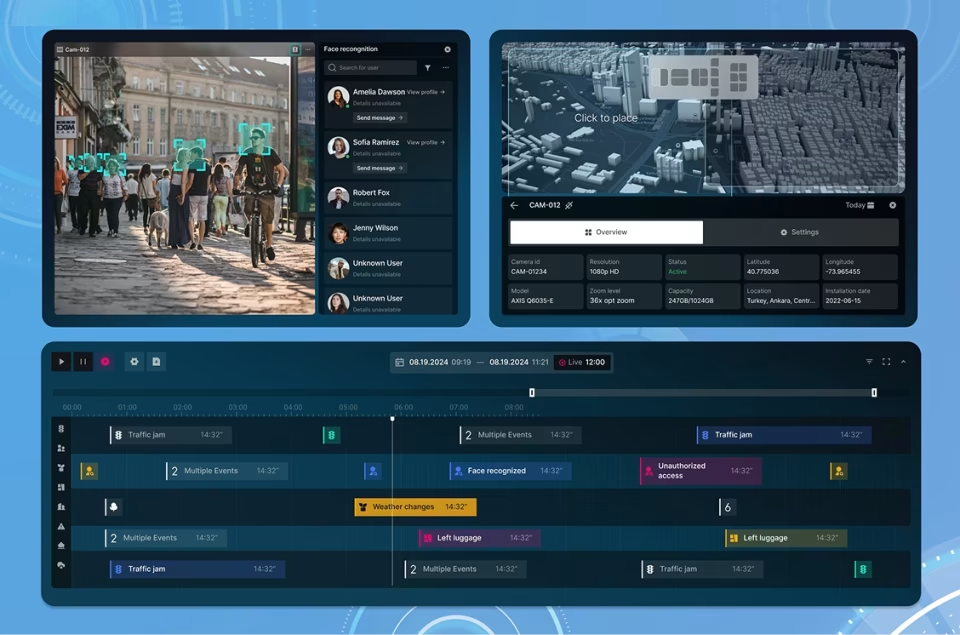
Multi-agent systems are best for solving large-scale problems that would overwhelm a single agent. They leverage specialization and parallel processing to deliver a more robust and comprehensive solution. For instance, our Smart City Management solution blends multiple digital tools for strategic disaster planning in urban areas for various stakeholders.
Latest AI UI/UX Design Trends and Evolution
UI design for AI agents is evolving at a breakneck pace. All around us, there are new patterns and philosophies every day, and more to come in the coming years. This makes it incredibly important for designers to stay relevant.
Designers must look beyond today’s chatbots with the latest UX design advice for AI agents, exploring what the UX UI design trends for AI agents are in 2025 and beyond. What defines this new era? Where is the shift heading to? What more can they expect?
Hyper-Personalization and Adaptive Interfaces
Static interfaces are soon going to become a thing of the past. One of the most significant trends is the move towards hyper-personalization enabled by AI agents. Interfaces in 2025 and 2026 will no longer offer a one-size-fits-all experience. Instead, they will dynamically adapt in real-time based on a user’s behavior, preferences, and even emotional state.
Think of it this way: an AI agent may simplify a complex UI when it detects that the user is stressed or overwhelmed. Or, it might reorder and highlight key information based on a user’s past habits. This trend works with AI to anticipate user needs and tailor experiences on the fly, making interactions feel more intuitive and personal.
Multimodal and Invisible UI
Conversation is brimming beyond screens today. This marks a key trend for AI agent design: the rise of multimodal interfaces that integrate voice, gestures, haptics, and biometrics.
The goal is to create a seamless, hands-free experience where the interface can almost become “invisible.” Users can interact with the agent more naturally, especially in the context of driving, cooking, or managing a smart home. Communication and feedback, therefore, must go beyond the visual to include auditory and haptic. This ensures that the user is always aware of what the agent is doing, even without looking at a screen.
Transparency-as-a-Feature
With AI agents taking on more autonomous roles, transparency is no longer just a best practice. It is a critical, user-facing feature. As part of UX UI design trends for AI agents 2025, interfaces are being designed to provide clear, human-readable explanations of the agent’s actions and reasoning.
This trend manifests in features like a visible “thought log” or a simple, layered explanation of why the agent chose a particular course of action. It demystifies the AI’s processes, builds user trust, and gives them the confidence to grant the agent more autonomy over time.
Generative UI
Probably the single most transformative trend of the year is Generative UI, where the interface itself is created on the fly by an AI agent. Instead of designers and developers hand-crafting every screen and component, a user can simply share their goal (“show me sales performance by region”, for example), and the AI agent generates a relevant, interactive dashboard or set of charts on the spot.
The designer, therefore, is moving from the role of a pixel-pusher to a strategic prompt engineer and curator. We are moving towards a dynamic, context-aware interface that can instantly adapt to a user’s query. It can create an experience that is both highly efficient and deeply personalized.
Ethical and Responsible Design
Finally, as AI agents become more integrated into our lives, the importance of ethical design has become a non-negotiable trend. Designers are grappling with issues of bias, data privacy, and user manipulation.
In the coming times, we will see a greater emphasis on designing transparent data dashboards that give users clear control over their information and create experiences that are free of deceptive design patterns. As AI becomes more powerful, its designs will prioritize user well-being and privacy, trust instead of exploitation. This is where technical expertise in AI agents creation truly lies.
Beyond the Interface: The Human-Agent Partnership
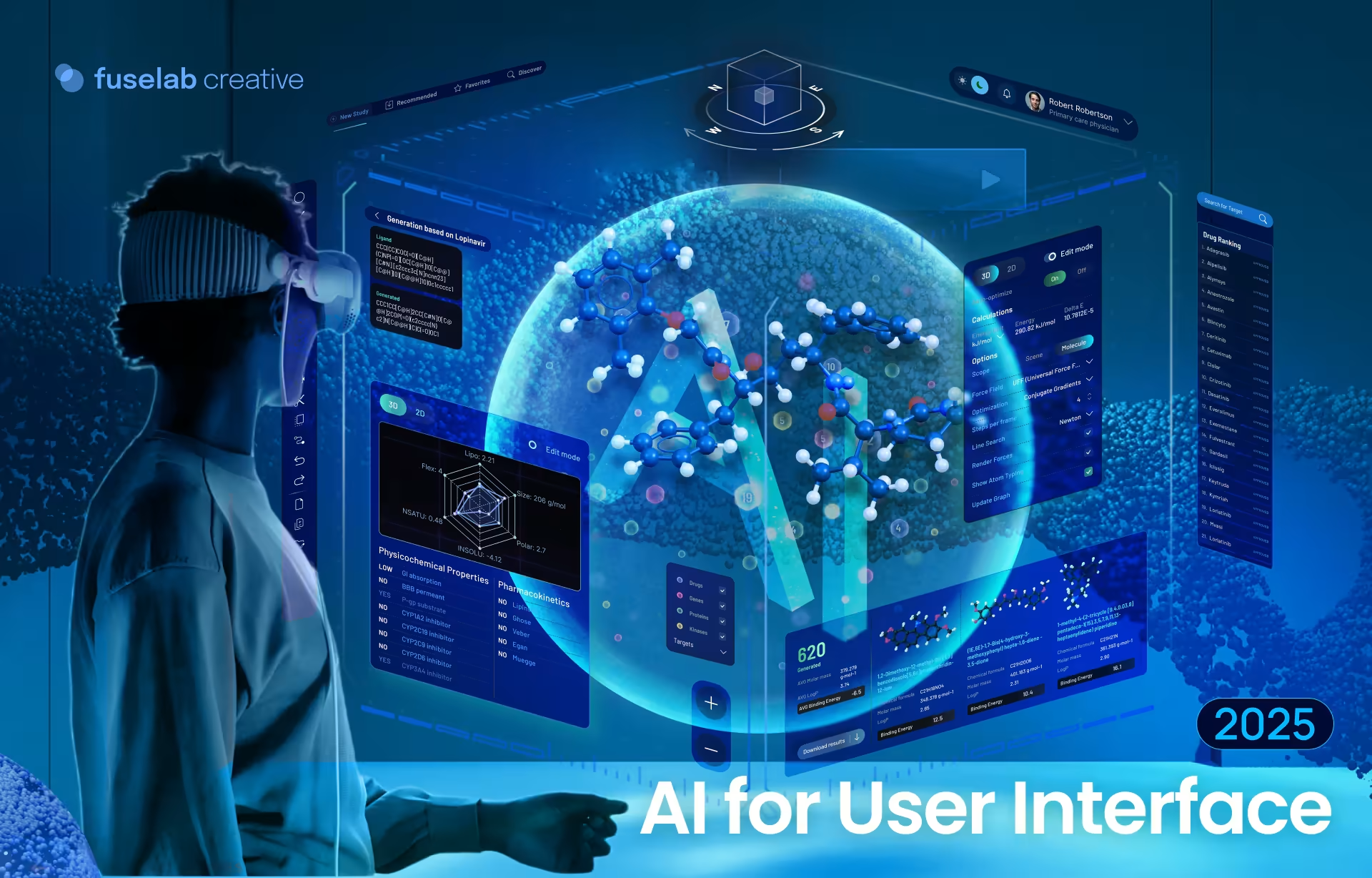
The most striking shift that AI agents are bringing about today is not in the technology itself, but in the user’s role. We are moving away from a model where a user is a direct operator – clicking, typing, and navigating through a fixed set of screens to achieve a goal. The AI agent interface is also less about tools and more about commands and partnership.
The new dynamic calls for a new kind of UI – one that focuses on goal setting, monitoring, and intervention, and not just task execution.
With the user’s high-level objective as input, the agent executes a multi-step plan to achieve it. The interface simply makes the agent’s actions transparent and comprehensible. It shows the plan, provides real-time updates on its progress, and surfaces moments where human intervention is required, say approvals or unexpected complications.
This is core to the future of AI-Constructed Design, where interfaces are not just static tools but dynamic, collaborative environments. This is where the seamless partnership between the user and the agent lies.

Conclusion
The march toward autonomous systems, AI agents development in particular, is fundamentally changing the relationship between users and technology. Static interfaces and direct command-and-control are things of the past, being increasingly replaced by proactive collaboration. A successful AI agent dwells on these very principles, combining its intelligence with design that is user-centric, transparent, graceful, and in the user’s reigns.
Trends like hyper-personalization, multimodal interfaces, and generative UI are shaping and re-shaping the landscape on the go. Designers must, therefore, commit to continuous learning and iteration. The work isn’t finished at launch. Rather, it is the beginning of a long-term feedback loop where updates are informed by real user behavior and the AI agent’s dynamic intelligence.
Successful businesses must, therefore, look at their digital experiences as living products. And while the world of human-agent collaboration can seem complex, you have ample expert guidance to benefit from. Fuselab Creative specializes in creating intelligent digital products that turn complex data into intuitive, user-friendly experiences. We have the expertise in UI/UX design to help you build a functional and engaging interface for your AI agent, so your product is ready for the future. Connect with our representative right away to know more, [email protected].
Author

Related posts