UX/UI Design Trends That Will Transform 2025
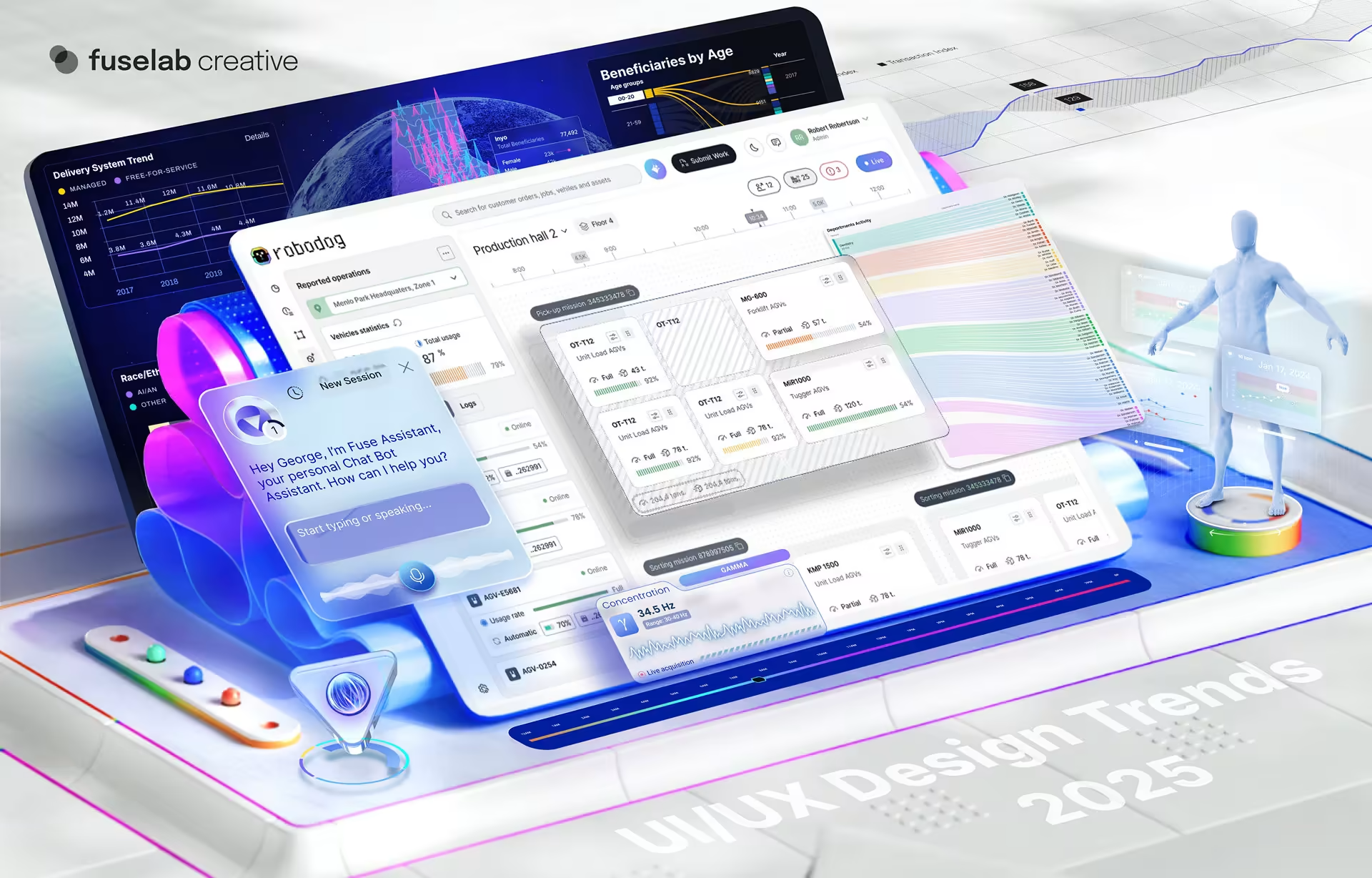
Let’s face it—UI/UX design is no less a buzzword for this decade than AI or blockchain. It has undergone a remarkable transformation after seeing many ebbs and flows over the years.
UI stands for user interface, and UX for user experience. From what were once simple text-based interfaces to the now visually stunning and intuitive designs of today, UX/UI design continues to shape how we interact with digital products and services.
But that’s not the end of its evolution. Technologies continue to advance, and so do user expectations. This means that modern UI design trends will constantly adapt to meet new and upcoming demands of the modern digital age. Interaction design will face the brunt of this development and may even adapt to an altogether different form from what we know today.
These changes can redefine the UX/UI design this year and will influence how we create digital experiences and shape how users interact with and perceive technology. This blog explores emerging developments that will transform UX/UI design in the coming year, along with insights into the future of user-centric design.
#1 Zero Interface design in UX – Minimalism and Simplicity
When it comes to UX/UI, the user is king. And today’s users prefer clean and intuitive interfaces over packed, overwhelming ones. Zero interface, with its focus on seamless interactions and minimalism, will continue to reign supreme in 2025 as one of the top UI and UX trends.
Why Minimalism Remains Crucial
Minimalism has long been a dominant force in UX/UI design, and its popularity shows no signs of waning. Users today prioritize simplicity and efficiency in their web experience, and minimalist designs appeal to them because of their clean, uncluttered aesthetic.
This calls for designers to focus on essential elements alone, eliminating unnecessary distractions. Minimalist interfaces are the perfect solution, creating a more intuitive and user-friendly experience, making it one of the hottest new trends in UX design.
Besides, there are several studies to show that users prefer minimalistic designs. A recent survey found that 76% of users believe that the most important factor in a website’s design is its ease of use. Minimalist designs excel in this aspect, as they reduce cognitive load and allow users to discover the information they need quickly.
Techniques for Implementing Minimalist Design
Implementing minimalist design effectively is based on some key techniques. One of the most important is the judicious use of whitespace. Designers must place empty space around elements strategically to create a sense of balance and visual hierarchy. Whitespace also helps to improve readability and reduce visual clutter.
Another essential technique is to simplify navigation. Minimalist designs often feature a streamlined navigation structure, with clear and concise labels for menus and buttons. The key is to help the user understand the website’s structure and navigate between different pages quickly.
Using a limited color palette can further enhance the minimalist aesthetic. Choose a few complementary colors for a cohesive and visually appealing interface that is easy on the eyes.
Examples of Successful Minimalist UX Industry Trends
To assess the effectiveness of minimalist design in enhancing user experience, let’s consider the popular productivity app Notion. Notion boasts a clean and uncluttered interface that allows users to easily organize tasks, notes, and projects without requiring much time to navigate. The app uses whitespace and simple typography judiciously for a visually appealing and intuitive experience. Users find that they can stay focused and productive more easily when using the app, which justifies its purpose and popularity.
Another notable example would be the Japanese minimalist clothing brand Muji’s website. Perfectly reflecting the brand’s minimalist aesthetic with a clean, white background and simple product images, Muji stands out from its competitors due to its superior UI. The minimalist design helps highlight the quality and simplicity of Muji’s products in return, contributing to a visually appealing and enjoyable shopping experience.
#2 Personalization in UI
With advancements in technology, user interface design is set to leverage the power of AI and personalization further to radically transform how we create and interact with digital experiences.
The future of personalization with UX/UI design will go far beyond simple content recommendations. AI algorithms will be an integral part of such development processes, leveraging user data to dynamically adjust the UI and create a truly personalized experience.
What does this mean for the user? For one, they will see interfaces that are tailored to their individual preferences, behaviors, and history.
Say, an e-commerce website that displays products based on a user’s past purchases or browsing history. A social media app that prioritizes content aligned with the user’s interests. Or a payments app that tailors reminders and alerts based on the user’s spending. App UI trends show an increasing inclination towards this.
These personalized experiences will only grow and advance in the coming months, structuring information architecture, improving user satisfaction, and driving engagement and conversions. A recent study found that 80% of consumers are more likely to make a purchase when brands offer such personalized experiences. No wonder, then, that personalization is the next big trend in UX design.
However, remember this: We cannot effectively personalize user experiences without collecting and analyzing user data to begin with. However, this raises several questions about data ownership, consent, and the potential for misuse of personal information. Users must, therefore, be given the option to opt out of personalization features if they have concerns about their data being used.
#3 AI and ML in Design
Artificial intelligence (AI) and machine learning (ML) are steadily gaining their edge in UX/UI design. Designers can leverage these technologies to predict user actions, customize interfaces, and provide real-time adaptations.
For instance, AI algorithms can analyze user behavior data to identify patterns and inclinations. Designers can then use these insights to optimize user flows and navigation.
Adding more flair to the current UI trends, ML can also be used to personalize content delivery. Combined with AI, the technology can help grasp the user’s preferences and interests to recommend relevant content, products, or services. This not only improves user engagement but also increases the likelihood of conversions.
AI can further be used to create adaptive interfaces that respond to changes in user behavior or context. For instance, an app could adjust its layout or font size based on the user’s device or screen size.
While AI-powered graphic design offers a multitude of benefits, it also raises significant challenges and ethical considerations that cannot be ignored. One of the primary concerns is privacy.
This is best addressed by implementing transparent user consent mechanisms and ensuring that data is collected and used ethically. Organizations must be clear about what data they collect, how it will be used, and what safeguards are in place to protect user privacy.
#4 AI Chat – Conversational Design
Most of us are at the point where we can’t imagine doing our work or social activities without voice assistants. More and more individuals use, or rather depend on, voice assistants to browse, search, connect, and inquire. So, in this context, what are the current trends in website UX design that are paving the way for and being influenced by conversational interfaces?
The increasing dependence also extends to text-based AI chat systems, making conversational design principles critical to creating engaging user experiences.
Creating effective conversational design requires designers to adhere to some key principles. First, intuitive command structures are integral to ensure that users easily understand and interact with the system. Clear and concise commands that align with natural language usage can significantly improve the user experience.
Second, natural language processing (NLP) is critical to conversational design. NLP algorithms enable the system to understand and interpret human language as we converse in our daily lives, allowing for more natural and conversational interactions. Designers who focus on improving the accuracy and effectiveness of NLP can create AI chat experiences that feel more human-like and engaging.
#5 Voice User Interfaces
The rise of voice technology has already revolutionized how we interact with digital devices. Smart speakers like Amazon Echo and Google Home are now part of every other household, and their adoption is expected to continue growing. By 2025, it is estimated that 55% of households will own a smart speaker, indicating a significant shift towards voice-first interfaces.
This trend in UI is driven by the convenience and ease of use that voice technology has to offer. Unlike traditional touch-based interfaces, voice-first interfaces allow users to interact with their devices using natural language, making them more intuitive and accessible to a wider range of users. This includes even people with disabilities. Moreover, voice technology offers a versatile and adaptable UI and UX design interface that can be used in various contexts, from the home to the car to the workplace.
Charts, Commands, and Simulation Controls
Fintech UX trends show that incorporating charts, commands, and simulation controls can take the versatility of VUI a notch higher, especially in professional or technical applications. With voice-activated charts, users can request data visualizations without manual navigation, making complex data analysis so much easier. Command-based controls, on the other hand, make interactions with simulation tools seamless for training or operational management. Think of all the possible applications – from business to educational settings – for a more dynamic, hands-free user experience.
Just remember that clear feedback mechanisms are imperative for guiding users and providing information about the system’s responses in a VUI. This can include auditory cues, visual feedback, or spoken responses. Timely and informative feedback helps users understand the system’s actions and stay engaged in the conversation.
Overcoming VUI Challenges
While voice UI trends have evolved significantly over time, there are still challenges to overcome.
One of the primary pain points is handling accents and dialects. Speech recognition systems have not advanced much, and may still struggle to accurately understand non-standard pronunciations. Designers may incorporate techniques like phonetic modeling and deep learning to address this issue and improve the system’s ability to recognize different accents.
Another challenge is errors in speech recognition. Even with considerably advanced NLP algorithms, there is always room for errors to occur, leading to misunderstandings or incorrect responses. Designers may consider implementing error correction mechanisms and help users correct or clarify their inputs when prompted. This user interaction makes VUI among the top UX ecommerce trends.
Finally, privacy concerns are a major factor to consider with VUI. Voice assistants may collect and process sensitive user data in day-to-day life, including locations, phone numbers, and so on. This makes it essential to implement robust security measures and obtain explicit user consent. Designers must actively address these challenges while prioritizing privacy to create VUI experiences that are both effective and trustworthy.
#6 Accessibility and Inclusive Design
Digital experiences this year will be more inclusive than ever before, making accessibility a top priority. Here’s why and how.
Why Accessibility Is a Priority Among UX Research Trends
We live in a digital world, surrounded by digital products and experiences. Most of our day-to-day functions have moved online, from shopping for groceries to paying off mortgages, booking a dentist, or planning a trip. It is, therefore, imperative that these digital experiences are accessible to everyone, regardless of their abilities.
Focusing on accessibility ensures that people with disabilities can effectively use and benefit from technology, no matter how advanced it gets. With over 15% of the world’s population experiencing some form of disability, the need for accessible product design is now more important than ever, as shown by web UI trends.
Besides, inclusive design goes beyond simply complying with accessibility standards. It involves creating products that are usable, understandable, and enjoyable for all users. When accessibility is prioritized, we can break down barriers and ensure everyone has equal opportunities to participate in the digital world.
Techniques for Inclusive Design
Designers can create accessible interfaces using several practical techniques. One of the most important is proper color contrast. Ensuring there is sufficient contrast between text and background colors helps users with visual impairments to read the content easily.
Additionally, providing options for keyboard navigation allows users who cannot use a mouse to interact with the interface effectively.
Ensuring compatibility with screen readers is another essential factor for users with visual disabilities. Screen readers convert the visual content of a website into spoken or braille output, so users can access information independently. These techniques allow designers to create interfaces that are accessible to a wider range of users, including those with disabilities.
Benefits Beyond Compliance
The best part about inclusive design is that its benefits extend beyond mere compliance with accessibility standards. Organizations that create accessible interfaces for all are actually making the user feel included and empowered. This makes them more likely to engage with the product or service, leading to increased satisfaction and loyalty.
Additionally, inclusive design can help broaden the potential user base, reaching new markets and demographics that may have been previously overlooked. Thus, prioritizing accessibility can help organizations create products or services that are not only inclusive but also more successful and sustainable in the long run.
#7 Micro-Interactions for Enhanced Engagement
From minimalism and personalization to VUI and accessibility, we have so far focused on the macro-level design elements alone. It is now time to explore how micro-interactions offer a subtle yet powerful way to enhance the user experience, making them one of the biggest trends in UX design.
Defining Micro-Interactions
Micro-interactions are the small, often overlooked details in a digital interface that can significantly impact the user experience. They refer to the subtle animations, haptic feedback, and sound effects that occur in response to user actions.
Recall your experience on various websites with button animations, hover effects, loading indicators, and progress bars – these are all examples of micro-interactions in user interface design.
While micro-interactions may seem insignificant on their own, their cumulative effect can be profound. Designers who carefully design and implement micro-interactions can create a more engaging and satisfying user experience across applications like automotive, healthcare, manufacturing, and more. This is because micro-interactions often provide visual feedback, convey information, and delight users with some unexpected surprises.
Best Practices for Implementing Micro-Interactions
There are several fundamental principles to consider when creating effective micro-interactions.
First, micro-interactions should provide meaningful feedback to users. Visual cues, haptic feedback, or sound effects are just a few examples. For instance, a button animation can indicate that a user’s action has been successful, while a haptic vibration can provide physical feedback.
Second, micro-interactions help drive exploration and discovery to lead the user down the sales funnel. Consider incorporating subtle animations or interactive elements to lure users into interacting with the interface and explore its many features. For example, a simple hover effect could reveal hidden information and encourage users to explore different options.
Also, micro-interactions should effectively guide users through the interface. Consider providing visual cues and feedback to help users understand the flow of the interface and navigate it more easily. For example, a progress bar can indicate the status of a loading process, while a tooltip can provide additional information about a specific element.
Impact on User Retention
Micro-interactions are crucial in improving user retention. They ensure a more engaging and enjoyable experience, encouraging users to stay longer and interact more frequently with a product or service. Besides, they can help build emotional connections with users, making them more likely to return and recommend the product to others.
Micro-interactions are also powerful tools for improving user engagement and retention. Designers can carefully design and implement micro-interactions with a focus on creating more memorable and satisfying digital experiences.
#8 Advanced Animations and Visual Storytelling
Apart from micro-interactions, advanced animations and visual storytelling can further elevate the user experience. Here’s how.
The Role of Animations in Storytelling
Storytelling is another buzzword UX/UI designers are familiar with, and animations can be a powerful tool to this end. With carefully crafted animations, designers can guide users through a narrative, creating an emotional connection and a memorable experience.
Animations can also add depth and context to content, making it more engaging and easier to understand.
For example, a subtle animation can highlight important information or draw attention to a specific element. A more complex animation can illustrate a process or tell a story, providing users with a richer and more immersive experience. The strategic use of animations can help designers create a more engaging and memorable interface.
Subtle and Purposeful Transitions
Smooth transitions are key to creating a seamless and enjoyable user experience. With well-crafted transitions, designers can guide users through the interface and prevent jarring disruptions. Transitions can also help improve how the user comprehends content – visual cues about the relationship between different elements become easier to define.
When choosing transitions, the UX researcher must consider the context and the desired effect. For instance, a subtle fade-in or fade-out transition can create a sense of continuity, while a more dramatic transition can emphasize a change in content or state. Use transitions purposefully to improve the overall flow and readability of the interface.
Avoiding Animation Overload
While animations can be a powerful tool, they are best used sparingly and with purpose. Overusing animations can be overwhelming to users and can slow down page performance.
When using animations, it is also important to consider the context and the desired effect. Simple, subtle animations can be more effective than complex, flashy ones. Remember to use animations judiciously for a visually appealing and engaging interface without overwhelming users.
#9 Augmented Reality (AR) and Immersive Interfaces
With multiple technological advancements shaping digital interactions, augmented reality (AR) is yet another powerful tool for creating immersive and engaging user experiences. Let’s explore how.
Growth of AR in User Experience
AR has gained traction across industries in no time, including retail, gaming, and education, with a special focus on data visualization in 2025. The technology helps overlay digital information onto the real world, thus enhancing the user experience and offering new opportunities for interaction.
For instance, AR can be used in retail to help customers visualize products in their own homes, making the shopping experience more immersive and personalized. In gaming, AR can create interactive and immersive experiences that blur the lines between the real and virtual worlds.
The growing influence of AR is evident in several market projections. For example, the AR market is expected to reach a staggering $198 billion by the end of this year, indicating a significant impact on user experience design. As the technology becomes more accessible and affordable, we can expect to see even greater integration of AR into various digital products and services.
AR Best Practices for UX/UI Design
Designers must adhere to some key best practices when designing effective AR experiences.
One, intuitive gestures can enable seamless user interactions with AR elements. Gestures like tapping, swiping, and pinching are fairly easy to learn and execute. Designing such intuitive gestures can help designers make AR experiences more accessible and enjoyable.
Two, contextual placement can make AR element integration into the real world more seamless. The content must be placed in a way that makes sense within the user’s environment, avoiding occlusion and ensuring it is easily visible. Careful consideration of contextual placement can help designers create AR experiences that feel natural and immersive.
Finally, seamless interactions between virtual and real-world elements are key to a successful AR experience. AR content should be designed to blend seamlessly with the user’s surroundings, avoiding jarring transitions or inconsistencies. They should be responsive to the user’s environment, adapting to changes in lighting, movement, and so on. These best practices can help designers create AR experiences that are both engaging and intuitive.
The Potential of AR Among Latest UI/UX Trends
No wonder the future of AR is filled with exciting possibilities and interesting career paths, and we can anticipate even more innovative and immersive experiences in the near future. AR technology may completely redefine how we interact with digital information, blurring the lines between the physical and digital worlds through applications like dashboard design, gaming design, and retail experiences, to name a few.
For example, AR could well provide real-time information and context, improving our understanding of the world around us. Additionally, AR may enable new forms of communication and collaboration, transforming how we interact with each other and with technology.
#10 Data-Driven Design and Analytics
Making informed design decisions calls for effectively leveraging data and analytics, which can be used to optimize UX/UI. Here’s how.
Using Data to Inform
Data-driven design uses analytics to understand user behavior and make informed decisions about UI/UX. This analysis of user data helps designers gain valuable insights into how users interact with a product or service. The insights so obtained can be used to identify areas for improvement, optimize the user flow, and create more engaging and effective experiences.
According to a recent study, 73% of companies that invest in analytics report improved UX/UI outcomes. This highlights the impact that data-driven design can have on successful digital products. Analytics are a core component of good UI/UX design, translating to evidence-based decisions and eliminating assumptions or guesswork.
Tools for Data-Driven Design
Designers have numerous tools at their disposal today to gather and analyze user data. Google Analytics, for instance, is a popular choice for comprehensive insights into website traffic, user behavior, and conversion rates. Hotjar is another valuable tool that allows designers to record user sessions, heatmaps, and feedback, providing a deeper understanding of user interactions.
These tools can help designers track key metrics like page views, bounce rates, time on site, and conversion rates. The data can then be used to identify bottlenecks in the user journey, identify areas of confusion, and measure the effectiveness of design changes. Data-driven decisions like these can help designers continuously improve the user experience and optimize products for success.
#11 Ethical Design and Privacy
All this talk about data and data-driven decisions leads us to the imperative topic of user privacy and ethical design practices – both pillars of successful UI/UX design in 2025.
Ethical Considerations in UX/UI
2025 is going to bring in a new era of digital transformation, making ethical design all the more important. UX/UI designers will be expected to prioritize user consent, transparency, and data privacy when creating interfaces. Obtaining explicit user consent before collecting and using personal data will be paramount so that designers can build trust and ensure ethical practices.
Transparency is another key aspect of ethical design. Users should have a clear understanding of how their data is collected, used, and stored. Providing transparent information about data practices will help designers empower users to make informed decisions about their privacy.
Balancing Usability with Privacy
Balancing usability with privacy can be a challenge, but it is essential for creating ethical and user-friendly interfaces. Designers should strive to create interfaces that are both intuitive and respectful of user privacy. They may have to implement privacy-enhancing features like anonymization or data minimization techniques to this end.
Besides, designers should refrain from collecting unnecessary data and only collect information essential for providing the desired functionality. This minimal data collection can help reduce the risk of privacy breaches and ensure responsible handling of user data.
Furthermore, users must be provided with clear and accessible privacy policies that explain how their data is used and protected. Designers must prioritize both usability and privacy to create interfaces that are both ethical and enjoyable for users.
#12 Sustainable and Eco-Friendly Design
Sustainability is one growing concern across industries that UX/UI designers cannot ignore. UI trends in 2025 will see a growing emphasis on creating digital products that are not only user-friendly but also environmentally responsible.
But what does that mean for the designer?
Well, sustainable UX/UI design focuses on creating interfaces that minimize their ecological footprint, promote energy efficiency and responsible consumption, and reduce waste. Sustainable design practices help organizations contribute to a more sustainable future while also improving the user experience.
Practical Steps for Sustainable Design
The UX/UI trend towards sustainable design is gaining momentum, driven by a growing awareness of climate change and the need for sustainable practices. One of the most frequently asked questions designers have is how to create more eco-friendly interfaces in this context.
One of the most effective ways to reduce energy consumption is to optimize images and other media files. Compressing images and using efficient file formats can help designers significantly reduce the amount of data that needs to be transferred, saving energy and reducing the carbon footprint.
Another important aspect of sustainable design is using dark mode. Dark mode interfaces reduce the screen brightness, saving energy and reducing eye strain.
Designers may focus on creating interfaces optimized for mobile devices, reducing the need for users to constantly charge multiple devices. Sustainable design may also involve using renewable energy sources to power data centers and servers, minimizing the carbon footprint of digital products.
#13 Simulation Design as Future UI Trends
Sustainability is one growing concern across industries that UX/UI designers cannot ignore. 2025 will see a growing emphasis on creating digital products that are not only user-friendly but also environmentally responsible.
But what does that mean for the designer?
Well, sustainable UX/UI design focuses on creating interfaces that minimize their ecological footprint, promote energy efficiency and responsible consumption, and reduce waste. Sustainable design practices help organizations contribute to a more sustainable future while also improving the user experience.
Practical Steps for Sustainable Design
The trend towards sustainable UX/UI design is gaining momentum, driven by a growing awareness of climate change and the need for sustainable practices. One of the most frequently asked questions designers have is how to create more eco-friendly interfaces in this context.
One of the most effective ways to reduce energy consumption is to optimize images and other media files. Compressing images and using efficient file formats can help designers significantly reduce the amount of data that needs to be transferred, saving energy and reducing the carbon footprint.
Another important aspect of sustainable design is using dark mode. Dark mode interfaces reduce the screen brightness, saving energy and reducing eye strain.
Designers may focus on creating interfaces optimized for mobile devices, reducing the need for users to constantly charge multiple devices. Sustainable design may also involve using renewable energy sources to power data centers and servers, minimizing the carbon footprint of digital products.
#14 Bot management design
The upcoming year will also see bot management design assume a crucial stance in the UX/UI world, thanks to the seamless and efficient interactions it enables between users and AI-driven platforms.
At the crux of effective bot management design lies an orchestra of bots, catering to user tasks without an overwhelming or confusing front. These bots work harmoniously in a robust framework, with a platform that ensures they complement and do not complicate the user journey. Clear, intuitive pathways are the steel of this framework, so users can engage with and switch between different bots as needed.
It is also important to note that bot management design centers on maintaining contextual consistency. Users prefer continuity when interacting with bots, no matter what channel they use or the task they give. This should be a priority for designers – sophisticated context-switching mechanisms that allow users to transition smoothly from one interaction to another, without losing track of conversation history or data. How? The answer lies in leveraging AI advancements for smart context retention and transfer capabilities, so bots understand and adapt to user preferences.
A user-friendly bot management design would also have transparent controls and feedback mechanisms. The idea is to make the user feel empowered to manage and oversee their interactions with various bots, pause, restart, or end conversations as needed. Clear feedback loops will ensure users stay informed about the status and actions of the bot and have a more engaging experience. Simply put, when the user feels in control, the result is a more positive and productive UX.
#15 Hyper-interactive design environment
UX trends for 2025 will see user experience go beyond the traditional, and hyper-interactive design environments will be a critical enabler. But what are they about?
Hyperinteractive design builds an environment where users can perform complex, multi-step actions with fluidity and minimal friction. Think seamless transitions, dynamic feedback, and responsive adjustments – in short, giving users complete control of their interactions. The idea is to create interfaces that go beyond passive user engagement to invite exploration, experimentation, and a sense of discovery.
What the hyper-interactive design environment really stands for is its support for layered interactions. Users are no longer limited to just commands or binary choices – they can modify, combine, and personalize interactions on the fly. Modular design elements and adaptive user pathways ensure interactions evolve as per user preferences. Real-time data analytics and machine learning anticipate user needs and dynamically adjust components for a tailored experience.
Integrating hyperinteractivity into the design is not without its challenges, though. Striking the delicate balance between functionality and cognitive load is easier said than done. Designers have a major task at hand: building extensive options and still not overwhelming users. Intuitive visual cues, contextual tooltips, and predictive UI patterns can come in handy for smooth workflows.
Conclusion
Looking ahead, you must be wondering what are the latest trends in UX design that will shape its future? Minimalism and simplicity will continue to dominate, while personalization and AI-powered design will become increasingly prevalent. Voice user interfaces and conversational design will also play a significant role, and accessibility and inclusive design will remain essential for creating user-friendly interfaces.
Staying updated with these trends is crucial for organizations that want their digital products to be innovative and user-friendly. Embracing these new ideas will help ensure your offerings remain relevant and effective in a cut-throat market.
At Fuselab, our creative agency works closely with clients to explore emerging trends and experiment with new approaches to particular challenges. Partner with us to create exceptional user experiences that resonate with your audience, driving exponentially new levels of retention and conversion. Reach out to our UX/UI Design team and turn your data into intelligent digital products that stand out in any marketplace.